Cloud Backup vs. Local Backup
Which Data Backup Solution Is Best for Your Business?
Data is the backbone of every modern business. From customer records and financial documents to emails, contracts, and operational files, organizations rely on accurate and accessible information to serve customers and make informed decisions. Whether you're running a startup in Mountain View, a medical practice in Palo Alto, a law firm in San Jose, or a retail business in Sunnyvale, losing business data can result in costly downtime, disrupted operations, and damaged customer trust.
Unfortunately, data loss is more common than many business owners realize. Hardware failures, ransomware attacks, accidental deletion, software corruption, power outages, and natural disasters can all compromise valuable information. That's why having a reliable backup strategy is no longer optional, it's an essential part of business continuity and cybersecurity.
One of the most common questions businesses ask is whether they should use cloud backup or local backup. While each solution offers unique advantages, understanding their differences is key to building a reliable data protection strategy.
At Creative Tech, we help businesses throughout Mountain View, San Jose, Palo Alto, Sunnyvale, Cupertino, Santa Clara, Redwood City, and the greater Bay Area implement secure backup and disaster recovery solutions tailored to their operational needs. In this guide, we'll compare cloud backup and local backup, explain their benefits and limitations, and help you determine which solution is best for your business.
What Is Cloud Backup?
Secure Business Data in the Cloud
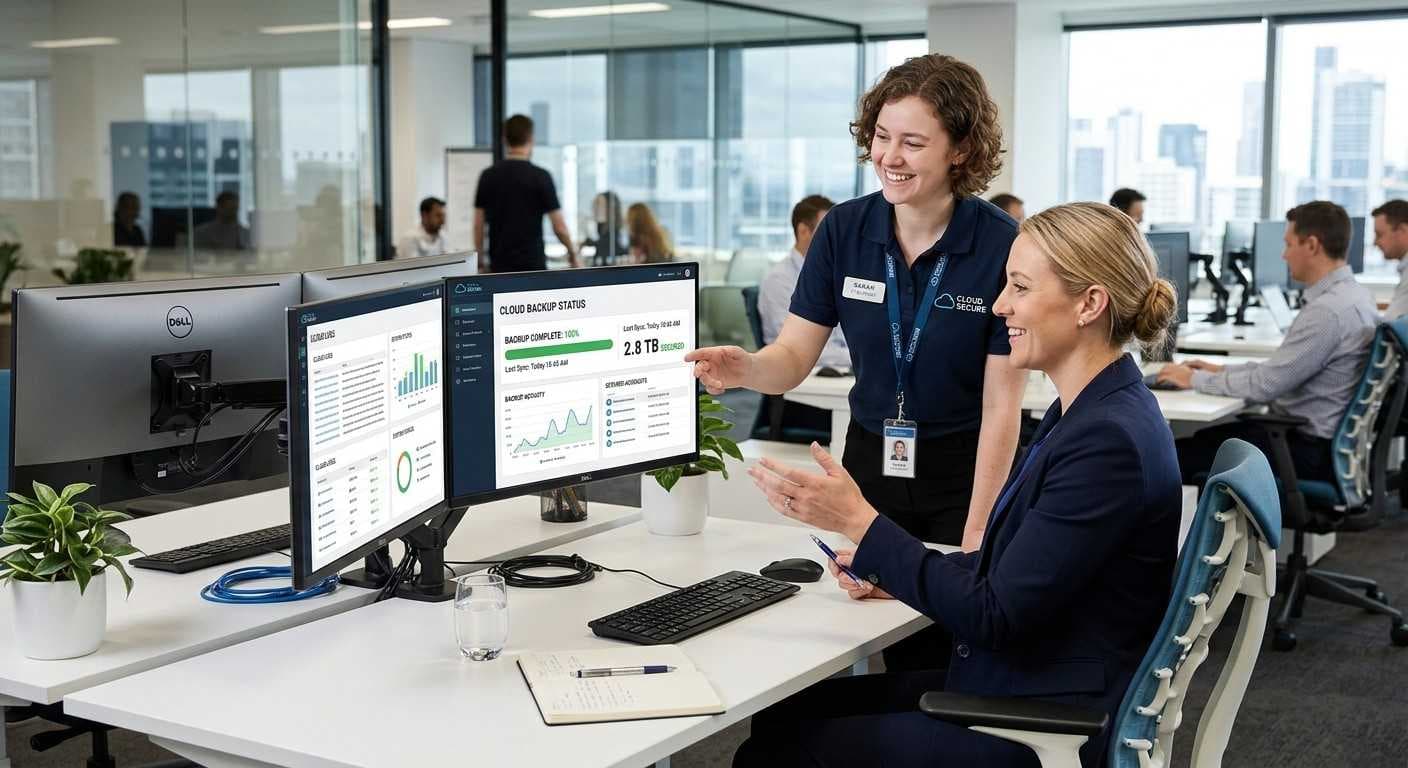
Cloud backup is the process of automatically copying business data to secure off-site servers managed by a cloud service provider. Instead of storing backup files on hardware located in your office, encrypted copies are transmitted over the internet and stored in professionally managed data centers.
Because cloud backups occur automatically, businesses can protect important files without relying on employees to perform manual backups. Most cloud backup solutions also encrypt data both during transmission and while it's stored, helping protect sensitive information from unauthorized access.
Cloud backup solutions typically include:
Automated scheduled backups
Encrypted data transmission
Secure off-site storage
Version history for file recovery
Scalable storage capacity
Remote access to backup data
Cloud backup has become increasingly popular because it supports today's mobile workforce. Employees can securely access backed-up information from different locations while businesses benefit from built-in redundancy and disaster recovery capabilities.
At Creative Tech, we help businesses deploy cloud backup solutions that protect critical information while simplifying backup management and reducing administrative overhead.
What Is Local Backup?
Keep Backup Copies Within Your Business
Local backup involves storing copies of business data on physical storage devices located at or near your business. These backups may be stored on external hard drives, network-attached storage (NAS) devices, dedicated backup servers, or other on-premises storage systems.
Unlike cloud backups, local backups do not rely on an internet connection for data recovery. Because files are stored nearby, businesses can often restore large amounts of data much more quickly.
Common local backup solutions include:
External hard drives
Network Attached Storage (NAS)
Backup servers
RAID storage systems
On-premises storage appliances
Many organizations choose local backups because they provide greater control over data storage and can support rapid recovery during hardware failures or accidental file deletion.
Creative Tech helps businesses design secure local backup systems that integrate with broader disaster recovery strategies while supporting daily business operations.
Benefits of Cloud Backup
Flexible, Scalable, and Always Available
Cloud backup offers several advantages that make it an attractive option for modern businesses. One of its greatest strengths is automation. Instead of relying on employees to remember backup schedules, cloud systems can automatically back up new and modified files throughout the day.
Another major advantage is off-site protection. If a business experiences a fire, flood, theft, or ransomware attack, backup copies stored in secure cloud data centers remain protected and accessible.
Key benefits of cloud backup include:
Automatic backup scheduling
Secure off-site storage
Remote access from virtually anywhere
Easy scalability as data grows
Lower upfront hardware investment
Simplified backup management
Encrypted storage and transmission
Cloud backup is particularly valuable for businesses using Microsoft 365, Google Workspace, and other cloud-based applications because it adds an extra layer of protection for important business data.
For businesses embracing remote and hybrid work, cloud backup ensures employees can continue accessing essential files while maintaining strong data security.
Benefits of Local Backup
Faster Recovery and Greater Control
While cloud backup offers flexibility, local backup remains an important part of many business continuity strategies. Since backup data is stored on-site, businesses can often recover files much faster than downloading large amounts of information from the cloud.
Local backups also provide greater control over storage hardware, backup schedules, and network performance. Organizations that regularly work with large files; such as engineering firms, media companies, and design agencies; often benefit from the speed of local recovery.
Advantages of local backup include:
Faster file restoration
No internet required for recovery
Greater control over backup infrastructure
Reduced recovery time for large datasets
Immediate access to backup files
High-speed local network transfers
For businesses that require rapid recovery after hardware failures or accidental deletion, local backups can significantly reduce operational downtime.
Creative Tech helps businesses optimize local backup performance while integrating it into comprehensive disaster recovery strategies.
Limitations of Cloud Backup
Understand the Challenges Before Choosing a Solution
Although cloud backup offers excellent flexibility and protection, businesses should understand that it also has certain limitations. Recovery speeds depend heavily on internet bandwidth, meaning restoring large amounts of data may take longer than restoring from local storage.
Subscription pricing is another consideration. While cloud services reduce hardware costs, businesses typically pay recurring monthly or annual fees based on storage capacity and service features.
Potential cloud backup limitations include:
Internet connection required for recovery
Slower restoration of very large datasets
Ongoing subscription costs
Bandwidth usage during backups
Dependence on cloud service availability
These limitations don't outweigh the benefits for most organizations, but they highlight why businesses should evaluate backup solutions based on their specific operational requirements.
Limitations of Local Backup
Physical Storage Alone Isn't Enough
Local backup provides fast recovery, but relying exclusively on on-premises storage introduces significant risks. Because backup devices remain in the same physical location as business systems, they may be affected by the same disaster that damages production equipment.
Hardware failures, theft, flooding, fires, and ransomware attacks can all compromise local backup devices if additional safeguards are not in place.
Common limitations of local backup include:
Hardware failures
Limited storage capacity
Risk of theft or physical damage
Vulnerability to ransomware
Higher hardware maintenance requirements
Difficulty supporting remote work environments
For these reasons, cybersecurity professionals generally recommend combining local backups with secure cloud backups rather than relying on a single backup location.
At Creative Tech, we help Bay Area businesses build resilient backup strategies that reduce single points of failure while improving business continuity.
Why a Hybrid Backup Strategy Is the Best Choice
Combine the Speed of Local Backup with the Security of Cloud Backup
For most businesses, the best backup solution isn't choosing between cloud or local storage—it's using both. A hybrid backup strategy combines the fast recovery of local backups with the off-site protection of cloud backups, giving businesses greater resilience against data loss and cyber threats.
With a hybrid approach, files are backed up locally for quick restoration while an additional encrypted copy is stored securely in the cloud. If local hardware fails or a disaster affects your office, cloud backups remain available. If you need to recover a large file quickly, your local backup can significantly reduce recovery time.
A hybrid backup strategy offers:
Faster file recovery
Off-site disaster protection
Better ransomware resilience
Greater backup redundancy
Improved business continuity
Scalability as your business grows
Following a hybrid approach also aligns with the industry-recognized 3-2-1 Backup Rule, which recommends keeping three copies of your data, storing them on two different types of media, and maintaining one copy off-site.
At Creative Tech, we recommend hybrid backup solutions for most businesses because they deliver the best balance of speed, reliability, and long-term protection.
Which Backup Solution Is Right for Your Business?
Choose a Strategy That Matches Your Operations
Every business has unique backup requirements. The ideal solution depends on the amount of data you manage, how quickly that data changes, your recovery expectations, and any compliance requirements within your industry.
Rather than adopting a one-size-fits-all approach, businesses should evaluate how critical their information is and how much downtime they can tolerate before choosing a backup solution.
Different industries often benefit from different backup strategies:
Startups and Technology Companies
Startups frequently rely on cloud collaboration tools, remote employees, and rapid development cycles. Cloud or hybrid backups provide flexibility while supporting distributed teams.
Healthcare Providers
Medical practices manage sensitive patient information that requires secure storage, frequent backups, and reliable disaster recovery. Hybrid backup solutions help support data availability while strengthening business continuity.
Legal and Accounting Firms
Law firms and accounting offices work with confidential client records that must remain protected and easily recoverable. Automated daily backups combined with secure off-site storage help reduce the risk of data loss.
Retail Businesses
Retail operations depend on point-of-sale systems, inventory databases, and customer information. Regular backups help minimize downtime and keep business operations running during unexpected incidents.
Manufacturing and Professional Services
Organizations managing large project files, engineering documents, or business-critical applications often benefit from fast local recovery combined with cloud-based disaster protection.
Creative Tech works closely with businesses to design backup strategies based on operational requirements, industry regulations, and long-term growth plans.
Protect Cloud Applications Too
Microsoft 365 and Google Workspace Still Need Backups
Many businesses assume that because their files are stored in Microsoft 365 or Google Workspace, they no longer need backups. While these platforms provide excellent availability and built-in redundancy, they are not designed to replace dedicated backup solutions.
Accidental deletions, ransomware attacks, insider threats, synchronization errors, or expired retention policies can still result in permanent data loss.
Businesses should protect:
Microsoft Outlook emails
OneDrive files
SharePoint data
Microsoft Teams content
Google Drive documents
Gmail emails
Google Calendar
Shared folders and collaboration files
Creative Tech helps businesses implement dedicated backup solutions for Microsoft 365 and Google Workspace, ensuring business-critical cloud data remains protected and recoverable.
Why Bay Area Businesses Choose Creative Tech
Reliable Backup and Disaster Recovery Solutions
Protecting business data requires more than simply installing backup software. A successful strategy includes planning, automation, continuous monitoring, recovery testing, and ongoing management.
Businesses throughout Mountain View, Palo Alto, San Jose, Sunnyvale, Cupertino, Santa Clara, Redwood City, and the greater Bay Area trust Creative Tech to build secure backup environments that support both cybersecurity and business continuity.
Our backup and recovery services include:
Cloud backup solutions
Local backup infrastructure
Hybrid backup implementation
Microsoft 365 backup
Google Workspace backup
Server backup and recovery
Workstation backup
Disaster recovery planning
Backup monitoring
Recovery testing
Managed IT Services
Cybersecurity integration
Whether you're protecting a few workstations or an entire business network, Creative Tech delivers scalable solutions designed to minimize downtime and safeguard your critical information.
Schedule Your Free Backup & Disaster Recovery Assessment
Discover How Prepared Your Business Really Is
Many organizations don't discover weaknesses in their backup strategy until they're trying to recover from a cyberattack, hardware failure, or accidental data loss. A proactive assessment helps identify risks before they become costly problems.
Creative Tech offers a free Backup & Disaster Recovery Assessment for businesses across Mountain View and the Bay Area. Our specialists evaluate your current backup environment, cloud services, recovery procedures, storage infrastructure, and cybersecurity practices to identify opportunities for improvement.
Following the assessment, we provide practical recommendations to strengthen your backup strategy, improve recovery times, and better protect your business against unexpected disruptions.
Conclusion
Choosing between cloud backup and local backup isn't about determining which technology is better—it's about selecting the solution that best supports your business objectives. Cloud backup offers flexibility, scalability, and off-site protection, while local backup provides faster recovery and greater control over your data.
For most businesses, a hybrid backup strategy delivers the greatest value by combining the strengths of both approaches. Automated backups, secure cloud storage, rapid local recovery, and regular testing work together to reduce downtime, improve business continuity, and strengthen your overall cybersecurity posture.
At Creative Tech, we help businesses throughout Mountain View, San Jose, Palo Alto, Sunnyvale, Cupertino, Santa Clara, Redwood City, and the Bay Area implement reliable backup and disaster recovery solutions tailored to their needs. Whether you're modernizing your backup strategy or building one from the ground up, our experts are here to help protect the data that keeps your business moving.
Frequently Asked Questions
Which is better: cloud backup or local backup?
Neither is universally better. Cloud backup provides secure off-site protection and scalability, while local backup offers faster recovery. Most businesses benefit from using both in a hybrid backup strategy.
What is a hybrid backup solution?
A hybrid backup solution combines local backups for fast restoration with cloud backups for disaster recovery and off-site protection, providing greater reliability and resilience.
How often should businesses back up their data?
Most businesses should perform automated daily backups. Organizations handling constantly changing information, such as financial records or customer databases, may require hourly or continuous backups.
Do Microsoft 365 and Google Workspace need separate backups?
Yes. Although these platforms provide built-in availability features, dedicated backups help protect against accidental deletion, ransomware, malicious activity, and data retention limitations.
Can Creative Tech help migrate our current backup system?
Yes. Creative Tech helps businesses assess their existing backup environment, migrate to modern cloud or hybrid backup solutions, and implement disaster recovery plans with minimal disruption to daily operations.
Need device repair? Visit 360 Creative Tech for a free diagnostic.