Email Security for Growing Companies
How Mountain View Businesses Can Protect Email Accounts, Employees, and Sensitive Data
Email is one of the most important communication tools in modern business. Employees use it to communicate with customers, exchange documents, approve payments, share account information, manage projects, and access other business systems.
That convenience also makes business email an attractive target for cybercriminals.
A single compromised email account can potentially expose confidential messages, customer information, internal documents, contact lists, and account credentials. Attackers can also use a compromised account to impersonate an employee and target coworkers, customers, vendors, or business partners.
The risk becomes more significant as a company grows.
More employees mean more email accounts, more devices, more external communications, and more opportunities for an attacker to exploit a mistake or compromised credential.
For companies in Mountain View, California, where businesses frequently depend on cloud applications, remote collaboration, and digital communication, email security should be treated as a core part of business cybersecurity.
Creative Tech provides managed IT, cybersecurity, cloud solutions, network services, backup and recovery, and technology support for businesses in Mountain View and throughout the Bay Area.
What Is Business Email Security?
Email Security Protects More Than the Inbox
Business email security refers to the technologies, policies, and practices used to protect email accounts and communications from unauthorized access, malicious messages, fraud, malware, and data exposure.
A secure email environment can involve multiple layers of protection, including account security, multi-factor authentication, spam and phishing filtering, malware detection, employee awareness, access management, and monitoring.
The objective isn't simply to prevent unwanted emails from reaching an inbox.
It is to protect the business identity, data, systems, and people connected to that email account.
For a growing company, this means email security should evolve alongside the organization.
Why Does Email Become a Bigger Risk as Companies Grow?
Growth Creates More Accounts, Access Points, and Potential Targets
A company with five employees may have a handful of email accounts to manage.
As the company grows, it may have dozens or hundreds of accounts, shared mailboxes, administrators, contractors, remote employees, and third-party applications connected to email.
Every account creates another potential entry point.
Growth can also introduce new challenges. Employees may access email from personal devices, work remotely, use mobile applications, or forward information to external contacts.
Without consistent security policies, these changes can create gaps that attackers may exploit.
A growing business therefore needs email security that is structured, scalable, and centrally managed.
Common Email Security Threats
Attackers Use Email Because People Trust It
Email attacks can take several forms.
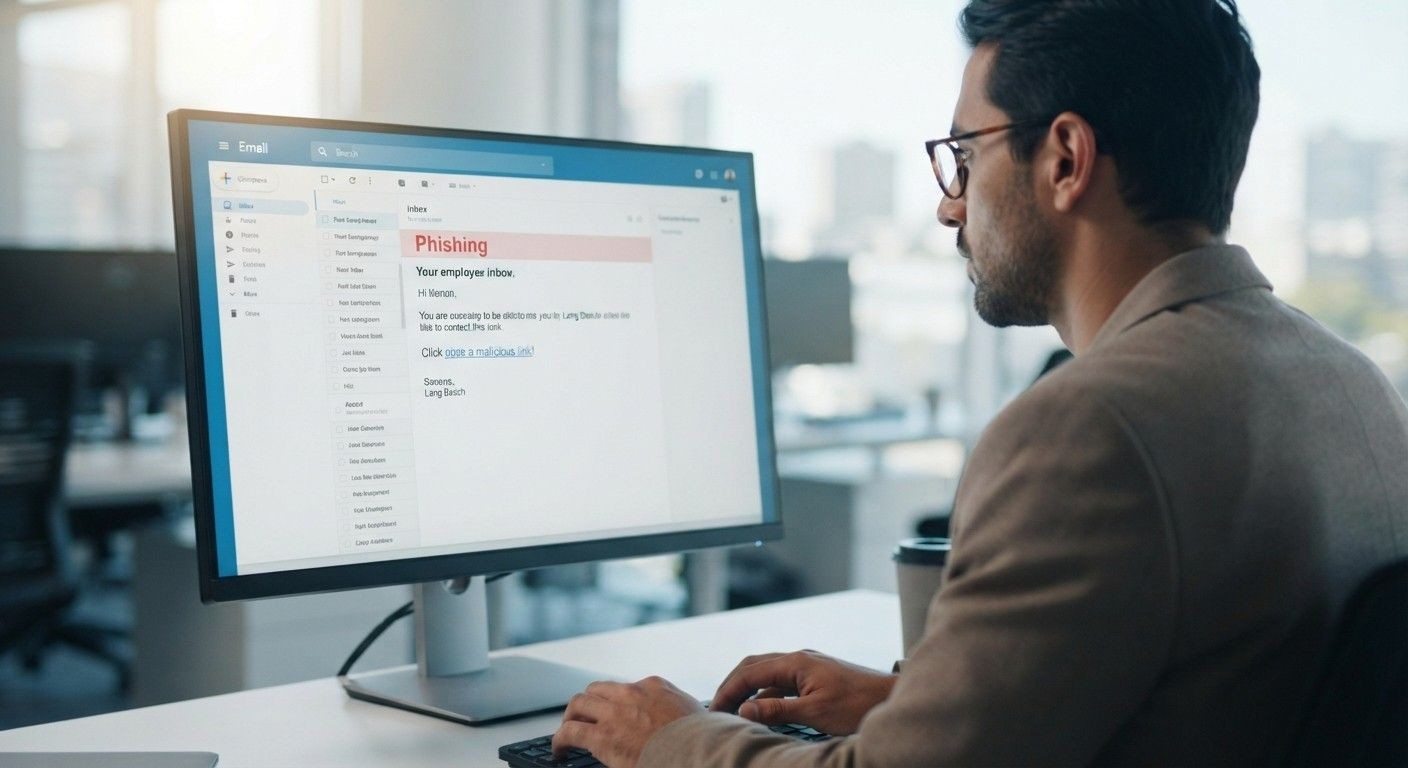
Phishing messages may attempt to trick employees into entering passwords on fraudulent websites. Malware may be hidden inside attachments or links. Fraudulent messages may impersonate executives and request payments or sensitive information.
Common threats include:
Phishing
Business email compromise
Credential theft
Malicious attachments
Account takeover
Invoice fraud
Impersonation scams
The technology behind an attack can be sophisticated, but the attack itself may appear surprisingly ordinary.
A message that looks like it came from a manager asking an employee to purchase gift cards or urgently transfer funds can be enough to create a serious financial loss.
What Is Business Email Compromise?
Attackers Can Use Compromised Accounts to Impersonate Employees
Business email compromise, or BEC, involves criminals using email or related communication systems to deceive businesses into transferring money, sharing sensitive information, or performing another unauthorized action.
Attackers may compromise an employee's account or create a convincing impersonation of someone inside the organization.
They may then monitor conversations to understand how the company operates before sending fraudulent instructions at the right moment.
For example, an attacker could impersonate an executive and ask an employee to urgently send a payment to a new bank account.
This is why email security needs to address both technical threats and human decision-making.
How Stolen Email Credentials Affect a Business
One Compromised Account Can Create a Larger Security Problem
A stolen email password doesn't necessarily give an attacker access to only email.
Business email accounts may be connected to calendars, cloud storage, collaboration platforms, password-reset processes, customer communications, and other business services.
If an attacker gains access, they may search through old messages for sensitive information or use the account to send convincing phishing messages to other employees.
They may also attempt to reset passwords for other accounts connected to the compromised email address.
This is why protecting email credentials is an important part of protecting the broader business technology environment.
Why Multi-Factor Authentication Matters
A Password Alone Shouldn't Be Your Only Defense
Multi-factor authentication, or MFA, adds another verification step when someone attempts to access an account.
If an attacker obtains an employee's password through phishing or another method, MFA can provide an additional barrier against unauthorized access.
MFA should be enabled for business email accounts whenever the platform and organizational requirements support it.
However, businesses shouldn't treat MFA as a complete solution.
Attackers continue to develop techniques designed to trick users into approving fraudulent authentication requests or revealing verification information.
MFA works best as one layer within a broader security strategy.
Strong Passwords and Account Security
Every Employee Account Needs Individual Protection
Strong, unique passwords reduce the risk created by password reuse.
Employees shouldn't use the same password for business email that they use for personal accounts. If a personal account is compromised and the same password is used for business email, attackers may attempt to reuse the credentials.
Businesses should also carefully manage administrative accounts and avoid giving employees more access than they need.
When an employee changes roles or leaves the company, access should be reviewed and adjusted promptly.
Account management is particularly important as a business grows because informal practices become harder to control at scale.
Email Filtering and Malware Protection
Automated Security Can Stop Many Threats Before Employees See Them
Email security tools can analyze incoming messages for suspicious links, attachments, known malicious content, spam, and other indicators of potential threats.
Filtering can reduce the number of dangerous messages that reach employees.
However, no filtering system can identify every malicious email.
Attackers constantly change their tactics, and sophisticated phishing messages may look legitimate.
This means businesses should combine email filtering with MFA, employee training, secure account management, endpoint protection, and monitoring.
Layered security provides more protection than relying on a single tool.
Employee Security Awareness Training
Employees Are an Important Part of Email Security
Even sophisticated security systems can be challenged by a convincing social-engineering message.
Employees should understand how to identify suspicious requests and what to do when something doesn't look right.
Training should cover situations such as:
Unexpected password-reset messages
Urgent payment requests
Suspicious attachments
Unknown login notifications
Requests for confidential information
Messages asking employees to bypass normal procedures
Employees should also know how to report suspicious messages without worrying that they will be blamed for making a mistake.
The faster a suspicious email is reported, the sooner the business can investigate and respond.
Managing Former Employee Email Accounts
Employee Offboarding Is an Email Security Issue
When an employee leaves a company, simply disabling their computer may not be enough.
Their email account, cloud applications, shared files, mobile devices, and other accounts may still have access to business information.
A structured offboarding process should include reviewing and removing access where appropriate.
Businesses should also consider how email forwarding, shared mailboxes, archived communications, and account ownership are handled after an employee leaves.
As organizations grow, standardized onboarding and offboarding procedures become increasingly important.
Protecting Sensitive Information Sent by Email
Email Shouldn't Be Treated as an Automatically Secure Data Channel
Businesses routinely send sensitive information through email.
This may include contracts, invoices, customer information, employee records, financial documents, or internal business information.
Employees should understand when information is appropriate to send through ordinary email and when additional security controls are needed.
Businesses can also establish policies around document sharing, access permissions, encryption, and approved cloud platforms.
The exact controls needed depend on the type of information the business handles and the regulatory or contractual requirements that apply to it.
Email Security for Remote and Hybrid Teams
Distributed Employees Create More Places for Accounts to Be Accessed
Remote work has changed how employees use business email.
Employees may access company accounts from home networks, personal devices, smartphones, hotels, coworking spaces, and other locations.
This doesn't mean remote work is inherently insecure.
It means businesses need consistent security controls regardless of where employees work.
MFA, managed devices, endpoint security, secure Wi-Fi practices, access policies, and employee training can help protect accounts outside the traditional office.
For businesses operating across Mountain View, Palo Alto, Sunnyvale, San Jose, and other Bay Area locations, centralized IT management can make these controls easier to implement consistently.
Why Email Security Should Be Part of a Larger Cybersecurity Strategy
Protecting Email Alone Isn't Enough
Email is often one of the first places attackers try to gain access, but it is only one part of a company's technology environment.
A compromised account can potentially lead to access to cloud storage, business applications, internal documents, and other systems.
That's why email security should work alongside:
Endpoint protection
Network security
Multi-factor authentication
Backup and recovery
Identity and access management
Security monitoring
Employee training
Incident response
A layered strategy helps ensure that one compromised account doesn't automatically become a company-wide security incident.
How Managed IT Services Improve Email Security
Growing Companies Need Security That Can Be Maintained
Implementing email security controls is only part of the challenge.
Businesses also need to maintain them.
Managed IT services can help organizations monitor systems, manage accounts, apply security updates, maintain endpoint protection, manage backups, and respond to technology issues.
A managed IT provider can also help review security practices as a company grows.
For a business that doesn't have a dedicated internal cybersecurity team, this can provide access to ongoing technical expertise without requiring the company to build an entire security department internally.
Creative Tech helps businesses manage their IT environments with services designed around proactive support and security.
How Do You Know When Your Company Needs Professional Email Security?
Growing Complexity Is Often the Warning Sign
A company may need professional help when email security becomes difficult to manage consistently.
Warning signs can include frequent phishing attempts, compromised accounts, unclear employee offboarding procedures, lack of MFA, unmanaged devices, or uncertainty about who has access to business systems.
Another warning sign is simply not knowing whether your current security controls are working.
A professional assessment can identify gaps before an attacker does.
This can be particularly valuable for growing businesses that have added employees, applications, remote workers, or new locations without revisiting their IT security strategy.
Why Choose Creative Tech in Mountain View?
Local Managed IT and Cybersecurity Support for Growing Businesses
Businesses in Mountain View and the surrounding Bay Area operate in an environment where digital systems are often central to daily operations.
Creative Tech provides services including managed IT, cybersecurity, cloud solutions, backup and recovery, network services, network monitoring, and enterprise Wi-Fi.
Rather than treating email as an isolated technology issue, Creative Tech can help businesses consider email security within the broader IT environment.
That can include reviewing account security, access controls, devices, networks, backups, and other systems that interact with business email.
The goal is to help businesses build a technology environment that can scale as they grow.
Free Diagnostic for Growing Companies
Identify Email and IT Security Gaps Before They Become Problems
If you're unsure whether your company's email accounts are adequately protected, a professional diagnostic can provide a useful starting point.
Creative Tech offers a free diagnostic to help businesses evaluate their technology environment and identify areas that may require attention.
The assessment can help businesses consider questions such as:
Is MFA enabled for critical accounts?
Are former employees' accounts properly disabled?
Are company devices protected?
Are employees trained to identify phishing?
Are important business systems backed up?
Who has administrative access?
How would the business respond to a compromised account?
The goal is not to assume that every business needs the same solution.
It is to understand the current environment and identify practical improvements.
Conclusion
Email is one of the most valuable communication tools a growing company has—and one of the most common targets for cybercriminals.
As a business grows, the number of email accounts, devices, applications, employees, and external communications grows with it. That creates more opportunities for phishing, credential theft, business email compromise, malware, and account takeover.
Strong business email security should therefore combine MFA, strong account management, email filtering, employee awareness, secure access policies, endpoint protection, monitoring, and a broader cybersecurity strategy.
For companies in Mountain View, California, proactive IT management can make it easier to maintain these protections as the organization expands.
Creative Tech provides managed IT and cybersecurity support for businesses throughout Mountain View and the Bay Area, helping organizations take a proactive approach to technology security.
If you're unsure whether your company's email environment is adequately protected, start with a free diagnostic from Creative Tech. Identifying security gaps before they become an incident can be far less disruptive than responding after an account has already been compromised.
Frequently Asked Questions
What is email security for businesses?
Business email security includes the tools, policies, and practices used to protect company email accounts, communications, credentials, and sensitive information from phishing, malware, unauthorized access, and fraud.
Why is email security important for growing companies?
Growing companies have more employees, accounts, devices, applications, and data. This increases the number of potential targets and makes consistent account and security management more important.
What is business email compromise?
Business email compromise is a form of fraud in which attackers use compromised or impersonated email accounts to trick businesses into transferring money, sharing sensitive information, or performing unauthorized actions.
Is MFA enough to protect business email?
No. MFA is an important security layer, but it should be combined with email filtering, employee training, endpoint protection, strong account management, monitoring, and other cybersecurity controls.
How can employees prevent phishing attacks?
Employees should verify unexpected requests, avoid suspicious links and attachments, be cautious about urgent financial requests, and report suspicious messages to the appropriate IT or security contact.
Should businesses use professional email security services?
Professional support can be useful when a business lacks internal cybersecurity expertise or has growing numbers of employees, devices, applications, and accounts that need consistent management.
Can managed IT services help protect business email?
Yes. Managed IT services can help with account management, security controls, device management, monitoring, updates, backups, and broader cybersecurity practices that support email security.
Does Creative Tech provide email security services in Mountain View?
Creative Tech provides managed IT, cybersecurity, cloud, network, backup, and related technology services for businesses in Mountain View and the surrounding Bay Area.
Does Creative Tech offer a free diagnostic?
Yes. Creative Tech offers a free diagnostic to help businesses identify potential IT and security gaps and determine appropriate next steps.
Need device repair? Visit 360 Creative Tech for a free diagnostic.