Common Business Email Compromise (BEC) Scams and How to Stop Them
Protect Your Bay Area Business from Email Fraud and Financial Loss
Email is one of the most important communication tools for businesses, but it is also one of the most common entry points for cybercriminals. Among the growing cyber threats targeting organizations today, Business Email Compromise (BEC) has become one of the most damaging. Unlike traditional phishing attacks that rely on malicious attachments or obvious scam emails, BEC attacks use social engineering, impersonation, and carefully crafted messages to deceive employees into transferring money, sharing confidential information, or providing access to business systems.
Small and medium-sized businesses across Mountain View, San Jose, Palo Alto, Sunnyvale, Cupertino, Santa Clara, Redwood City, and the greater Bay Area are increasingly targeted because they often process vendor payments, manage payroll, and exchange sensitive information via email. A single fraudulent email can result in significant financial losses, operational disruption, and reputational damage.
At Creative Tech, we help businesses strengthen their email security through Managed IT Services, advanced cybersecurity solutions, Multi-Factor Authentication (MFA), Microsoft 365 security, Google Workspace protection, and proactive monitoring. This guide explains the most common Business Email Compromise scams and outlines practical steps to protect your organization.
What Is Business Email Compromise (BEC)?
Understanding One of Today's Most Costly Cyber Threats
Business Email Compromise is a type of cyberattack in which criminals impersonate trusted individuals or organizations to trick employees into performing actions that benefit the attacker. Unlike traditional phishing campaigns that target thousands of users at once, BEC attacks are often highly personalized and carefully researched, making them much more convincing.
Cybercriminals may impersonate executives, vendors, clients, or employees by using spoofed email addresses or compromised business accounts. Their goal is usually to convince someone to transfer funds, change banking information, disclose confidential data, or share login credentials.
Because these emails often contain no malicious links or attachments, they can bypass traditional spam filters, making employee awareness and strong email security essential.
Why Bay Area Businesses Are Frequent Targets
Growing Companies Handle Valuable Financial Information
Businesses in Mountain View and throughout Silicon Valley operate in fast-paced environments where employees regularly approve invoices, process payroll, collaborate with vendors, and communicate with clients. Cybercriminals exploit these daily business activities by sending convincing emails that appear legitimate.
Startups and small businesses are particularly attractive targets because they may not have dedicated cybersecurity teams or advanced email security solutions in place. Employees working remotely or under tight deadlines are also more likely to approve requests without carefully verifying their authenticity.
At Creative Tech, we help Bay Area businesses strengthen email security by implementing advanced protection, employee training, and proactive monitoring that reduce the likelihood of successful Business Email Compromise attacks.
CEO Fraud
When Attackers Pretend to Be Company Executives
CEO fraud is one of the most common forms of Business Email Compromise. In this attack, cybercriminals impersonate a business owner, CEO, CFO, or senior executive and send urgent requests to employees responsible for handling payments or sensitive information.
The email often instructs the recipient to process an immediate wire transfer, purchase gift cards, or send confidential company data. Because the request appears to come from a trusted executive and emphasizes urgency or confidentiality, employees may comply without verifying the request.
Warning signs of CEO fraud include:
Requests for immediate payments
Unusual urgency
Changes to normal payment procedures
Requests to keep the transaction confidential
Slight variations in the sender's email address
Businesses should establish verification procedures that require verbal confirmation or secondary approval before processing unexpected financial requests.
Invoice Fraud
Fake Invoices Designed to Steal Business Funds
Invoice fraud occurs when cybercriminals send fake invoices that appear to come from legitimate suppliers or service providers. These invoices often include altered banking details, directing payments to fraudulent accounts controlled by attackers.
In some cases, criminals compromise a vendor's email account and monitor ongoing conversations before inserting fake payment instructions at the appropriate time. Because the email originates from a genuine account, employees may not recognize the fraud until after funds have been transferred.
Businesses can reduce this risk by:
Verifying payment changes by phone
Confirming new banking information directly with vendors
Implementing multi-person approval for financial transactions
Reviewing invoice details carefully before processing payments
Developing strict financial verification procedures helps prevent costly invoice fraud.
Vendor Email Compromise
When Trusted Business Relationships Become Security Risks
Businesses frequently communicate with suppliers, contractors, consultants, and service providers through email. Cybercriminals exploit these trusted relationships by compromising vendor email accounts or creating convincing lookalike email addresses.
Once attackers gain access to a vendor's account, they may request payment updates, send fraudulent invoices, or ask employees to share confidential business information.
To reduce the risk of vendor email compromise, organizations should:
Verify requests involving payment information
Monitor unusual communication patterns
Confirm sensitive requests through secondary communication channels
Use secure file-sharing platforms instead of email for confidential documents
Creative Tech helps businesses implement secure communication practices that protect relationships with vendors and clients while reducing exposure to email-based fraud.
Payroll Diversion Scams
Redirecting Employee Paychecks Through Fraudulent Requests
Payroll diversion scams target human resources and payroll departments by impersonating employees requesting changes to their direct deposit information. If the request is approved without proper verification, future paychecks are deposited into accounts controlled by cybercriminals.
These attacks often involve compromised employee email accounts or convincing spoofed messages that appear authentic. Because payroll requests are relatively common, they can easily bypass routine review processes.
Businesses should establish clear verification procedures before updating payroll information. Employees requesting changes to banking details should confirm their identity using secure methods beyond email, such as phone verification or identity confirmation through HR systems.
Implementing Multi-Factor Authentication for employee email accounts further reduces the likelihood of account compromise leading to payroll fraud.
Account Takeover Attacks
Compromised Email Accounts Create Larger Security Risks
One of the most dangerous forms of Business Email Compromise occurs when cybercriminals successfully gain access to a legitimate employee email account. Rather than impersonating someone externally, attackers communicate directly from the compromised account, making fraudulent requests appear completely authentic.
Once attackers gain access, they often monitor email conversations for weeks before acting. They may study payment schedules, vendor relationships, executive communications, and internal approval processes before launching targeted attacks.
A compromised email account can be used to:
Send fraudulent payment requests
Steal confidential business information
Reset passwords for other business accounts
Launch phishing attacks against coworkers
Distribute malware to trusted contacts
Implementing Multi-Factor Authentication, monitoring unusual login activity, and enforcing strong password policies significantly reduce the likelihood of successful account takeover attacks.
Red Flags That Indicate a Business Email Compromise Scam
Recognize Suspicious Emails Before They Cause Damage
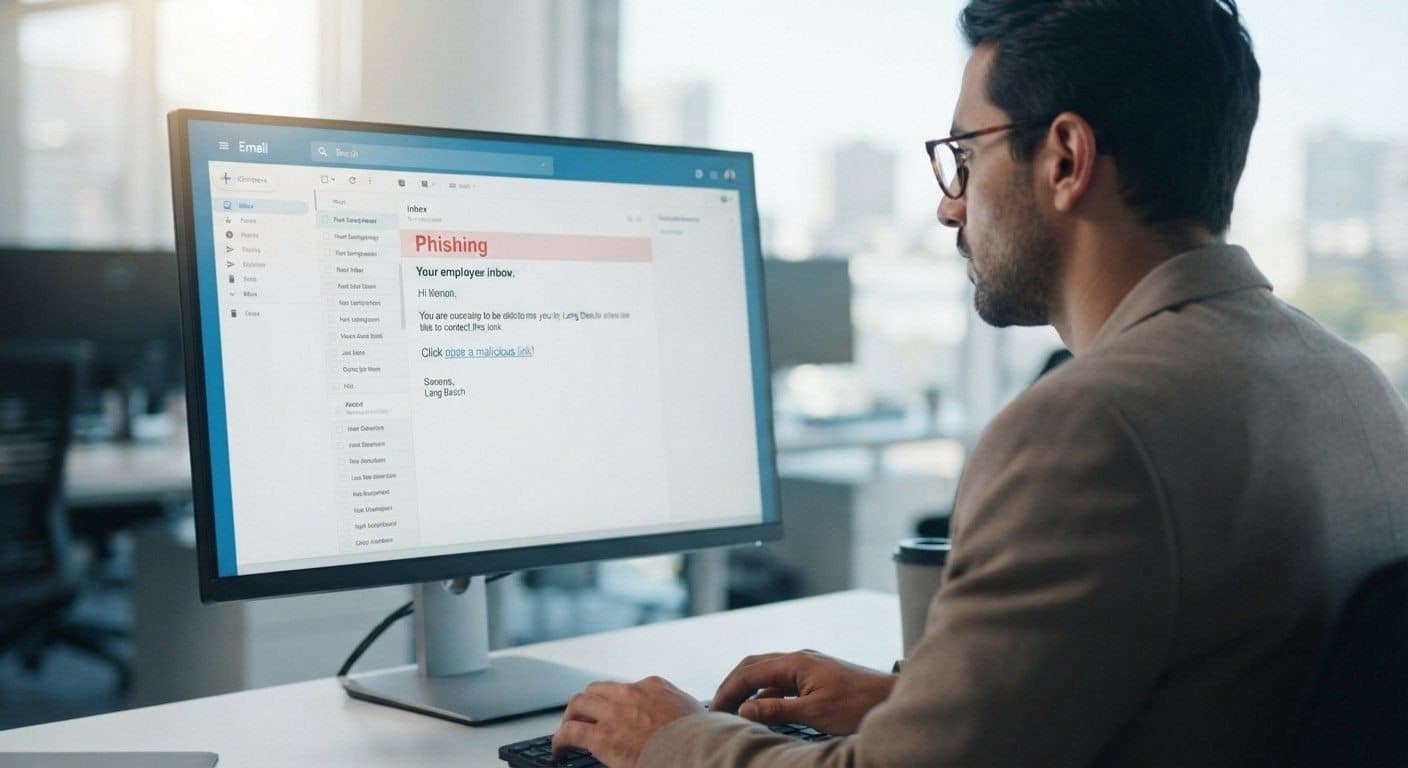
Business Email Compromise attacks are designed to appear legitimate, making them difficult to detect. However, many fraudulent emails contain subtle warning signs that employees can learn to identify. Training your team to recognize these indicators is one of the most effective ways to prevent financial loss and data breaches.
Common warning signs include:
Urgent requests for immediate payment or action
Slightly misspelled email addresses or lookalike domains
Requests to bypass normal approval processes
Unexpected changes to banking or payment details
Confidential requests that discourage verification
Poor grammar or unusual writing style
Unexpected attachments or links
Requests for login credentials or sensitive company information
Employees should never assume an email is legitimate simply because it appears to come from a trusted executive, vendor, or colleague. Verifying unusual requests through a phone call or another trusted communication channel can prevent costly mistakes.
At Creative Tech, we help businesses implement employee cybersecurity awareness training so staff members can confidently identify and report suspicious emails before they become security incidents.
How to Prevent Business Email Compromise
Build Multiple Layers of Email Security
Preventing Business Email Compromise requires more than a spam filter. Because many BEC attacks rely on social engineering rather than malware, businesses need a layered cybersecurity strategy that combines technology, policies, and employee education.
Effective protection starts with securing user accounts and limiting opportunities for attackers to impersonate employees or gain unauthorized access. Organizations should also establish clear financial verification procedures and regularly review their cybersecurity practices.
Key preventive measures include:
Enable Multi-Factor Authentication (MFA) on all business email accounts.
Use strong, unique passwords supported by a password manager.
Deploy advanced email filtering and anti-phishing protection.
Verify payment requests and banking changes through a secondary communication channel.
Restrict administrator privileges to authorized personnel only.
Keep Microsoft 365, Google Workspace, and other business applications updated.
Provide regular cybersecurity awareness training for employees.
Monitor email activity for unusual login attempts and suspicious behavior.
By combining these practices, businesses can significantly reduce the risk of Business Email Compromise while improving their overall cybersecurity posture.
Secure Microsoft 365 and Google Workspace
Protect the Platforms Your Business Uses Every Day
Microsoft 365 and Google Workspace are the foundation of communication and collaboration for many businesses in the Bay Area. Because these platforms store emails, documents, calendars, and business contacts, they are attractive targets for cybercriminals seeking unauthorized access.
Proper configuration is essential to maximize security. Default settings may not provide sufficient protection against sophisticated attacks, making professional setup and ongoing management an important part of your cybersecurity strategy.
Creative Tech helps businesses strengthen Microsoft 365 and Google Workspace security by implementing:
Multi-Factor Authentication (MFA)
Conditional access policies
Advanced email threat protection
Secure user authentication
Spam and phishing protection
Email encryption
Secure file-sharing permissions
Continuous account monitoring
With proactive management, businesses can enjoy the productivity benefits of cloud collaboration while maintaining strong protection against evolving email threats.
Monitor Email Activity Continuously
Detect Suspicious Behavior Before It Escalates
Cybersecurity should be proactive rather than reactive. Continuous monitoring helps identify unusual activity before attackers can cause significant damage. Monitoring tools analyze login patterns, email forwarding rules, user behavior, and other indicators that may signal a compromised account.
Examples of suspicious activity include:
Login attempts from unfamiliar locations
Multiple failed login attempts
Unusual email forwarding rules
Large volumes of outbound emails
Unexpected password resets
Access outside normal business hours
By detecting these anomalies early, businesses can respond quickly, isolate compromised accounts, and prevent attackers from expanding their access.
As part of our Managed IT Services, Creative Tech provides proactive monitoring that helps businesses identify and address security issues before they affect operations.
Why Bay Area Businesses Trust Creative Tech
Local Cybersecurity Expertise That Protects Your Business
Businesses across Mountain View, Palo Alto, San Jose, Sunnyvale, Cupertino, Santa Clara, Redwood City, and the surrounding Bay Area rely on Creative Tech to strengthen their cybersecurity and protect their communication systems. Our proactive approach focuses on preventing security incidents rather than simply responding after an attack has occurred.
We understand the technology challenges faced by startups, healthcare providers, legal offices, financial firms, retailers, and professional service organizations. Our solutions are tailored to meet the operational and security requirements of each business while supporting long-term growth.
Our cybersecurity services include:
Managed IT Services
Advanced email security
Microsoft 365 management
Google Workspace support
Multi-Factor Authentication (MFA)
Endpoint protection
Network security
Firewall configuration
Cloud security
Data backup and disaster recovery
Security monitoring
Employee cybersecurity awareness training
Whether you need to secure a single office or support a growing multi-location business, Creative Tech delivers scalable cybersecurity solutions designed to keep your business protected.
Schedule Your Free Email Security Diagnostic
Identify Vulnerabilities Before Cybercriminals Do
Business Email Compromise attacks continue to evolve, making regular security assessments more important than ever. Understanding where your business is vulnerable is the first step toward reducing risk and protecting sensitive information.
Creative Tech offers a free email security diagnostic for businesses throughout Mountain View and the Bay Area. During this assessment, our cybersecurity specialists evaluate your email environment, user authentication, Microsoft 365 or Google Workspace configuration, security policies, and overall cybersecurity posture.
Based on the results, we provide practical recommendations to strengthen your defenses and help reduce the likelihood of successful Business Email Compromise attacks.
Conclusion
Business Email Compromise is one of the fastest-growing cyber threats affecting organizations today. Unlike traditional phishing attacks, BEC scams rely on trust, impersonation, and human error to steal money and sensitive information. As businesses increasingly rely on email for financial transactions and daily communication, strengthening email security has become essential.
By implementing Multi-Factor Authentication, verifying financial requests, training employees, securing Microsoft 365 or Google Workspace, and continuously monitoring business email accounts, organizations can significantly reduce their exposure to these sophisticated attacks.
At Creative Tech, we help businesses throughout Mountain View, San Jose, Palo Alto, Sunnyvale, Cupertino, Santa Clara, Redwood City, and the Bay Area protect their email systems through proactive Managed IT Services and cybersecurity solutions. From advanced email security to employee awareness training, we provide the expertise needed to keep your business secure in an evolving threat landscape.
Frequently Asked Questions
What is Business Email Compromise (BEC)?
Business Email Compromise is a cyberattack where criminals impersonate trusted individuals or compromise legitimate email accounts to trick employees into transferring money, sharing sensitive information, or changing payment details.
Why are small businesses targeted by BEC scams?
Small businesses often process invoices, payroll, and vendor payments but may have fewer cybersecurity resources than larger organizations, making them attractive targets for cybercriminals.
How can Multi-Factor Authentication help prevent BEC?
Multi-Factor Authentication (MFA) adds an extra layer of security by requiring a second form of identity verification, making it much harder for attackers to access business email accounts even if passwords are compromised.
Can Microsoft 365 and Google Workspace be secured against BEC attacks?
Yes. Proper configuration; including MFA, advanced threat protection, conditional access policies, and continuous monitoring; can significantly improve security for both Microsoft 365 and Google Workspace environments.
How can Creative Tech help protect my business?
Creative Tech provides Managed IT Services, advanced email security, Microsoft 365 and Google Workspace management, cybersecurity monitoring, employee security training, endpoint protection, and ongoing IT support to help businesses defend against Business Email Compromise and other cyber threats.
Need device repair? Visit 360 Creative Tech for a free diagnostic.